



Hi, I'm Jen! I'm a personal finance expert and money coach aiming to help you take control of your money. I went from being broke to a six-figure net worth and am now on track to be financially independent at age 40. Discover Jen's story
This Snoop app review explains everything about this budgeting app. Making a budget and adhering to it is difficult and tedious. However, not budgeting can lead to overspending and unnecessary financial problems.
Snoop app aims to make budgeting easy so you can stay in control of your money. But is linking your bank account to an app safe? And does Snoop deliver what it promises?
🪧 Should you sign up through my affiliate links, I may receive a commission at no cost to you.
Get a £5 Amazon Voucher from Snoop
New users can get a £5 free Amazon voucher. Connect the app to a bank account and keep it running for one month. For more ways to get free money, see my free money offers list.
How to Get the Sign-up Bonus
2. Scan the QR code and download the Snoop app
3. Follow the sign-up process and link a bank account
4. Wait 30 days
5. You’ll receive an email from Snoop with your voucher
What Is Snoop App?
Snoop is a budgeting and money-saving app. It is free and compatible with iOS and Android phones. It tracks spending across bank accounts and credit cards.
Snoop was founded in 2019 by former Virgin Money CEO Jane-Anne Gadhia and ex-Managing Director John Natalizia and is based in the UK. The app has over 1.2 million users and aims to make you feel better about money.
Is Snoop App Legit?
The Snoop app is legit and not a scam. The company behind Snoop is Usnoop Limited, a registered company in the UK. Snoop is also regulated by the Financial Conduct Authority (FCA).
Snoop Customer Reviews
Apart from this, Snoop is popular on Trustpilot. It has an average score of 3.9 out of 5.0. Overall, 77% of users gave Snoop the highest scores (great or excellent).

What Is Trustpilot?
Overall, there are over 150 million reviews on Trustpilot. You can generally get a good understanding of the legitimacy and customer-friendliness of a company.
Is Snoop App Safe?
Snoop is safe to use. The app uses the same encryption standard as banks. It never had access to your bank account login details. On the website, Snoop also states that its features include:
- Secure login. To log in, the app uses a combination of your device, phone number, and five-digit code or biometric login.
- Encryption. Snoop encrypts all data, whether stored on your device or in its database.
- System monitoring. There are monitoring systems in operation around the clock.
- Two-factor authentication. Snoop uses two-factor authentication to validate each login.
- Third-party audits. Snoop has reputable security partners who carry out regular checks.
- Security training. All staff at Snoop get regular security training.
Snoop App Cost
Snoop app is free. However, the app also has a premium plan, Snoop Plus. The Plus plan costs £31.99 per year (£4.99 per month). Snoop Plus offers the following features:
- Unlimited spending categories
- Adding accounts manually
- Tracking your net worth
- Tracking spending payday to payday
- Unlimited spending reports
- Unlimited spending and refund alerts
- Tracking bills by pay cycle
None of these features is essential. Most users will be fine with the free version. However, if your money confuses you, you may benefit from upgrading. This would enable you to change tracking spending and bill cycles on the app.
Is Snoop Plus Worth It?
Snoop Plus may be worth it for some users. It can save you money if you’re bad at personal finance. You get better control over your spending habits and can see all accounts in one place. The additional budgeting tools make saving even easier.
However, the free plan is enough for most users. If unsure, ask yourself whether Snoop Plus would help you save at least £32 per year. If the answer is yes, upgrading is worth it for you.
How Does Snoop Work?
Snoop works by connecting to your bank account and credit cards. It then extracts your spending patterns and bills. With this information, Snoop can suggest a budget for you. It also identifies inflated bills to get you better deals. The app uses open banking to access your account data.

1. Opening a Snoop Account
Signing up to Snoop is simple. Click the button below and scan the QR code to get the app. Once downloaded, follow the sign-up process. To create an account, you need to enter:
- Your name
- Your date of birth
- Phone number
- Email address
The first step to using Snoop is connecting your bank accounts. Snoop makes this easy: simply select your bank. If you are using a mobile banking app, Snoop can connect to it with a few taps.
Snoop is compatible with all major high-street banks as well as mobile-based apps. If Snoop does not support your bank, you may prefer to use Emma instead. Read more in my Snoop vs Emma comparison.
How Does Snoop Make Money?
Snoop makes money from its bill-switching service, selling anonymised data, and Snoop Plus.
- Bill switching. If you switch providers based on Snoop’s recommendation, the app earns a commission.
- Market insights. Snoop sells your anonymised spending data to market research companies. It does not sell your personal data.
- Snoop Plus. Snoop earns money from the subscription fee.
Snoop Features
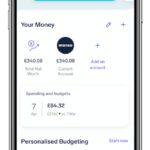
1. See All Your Money in One Place
One of Snoop’s biggest advantages is that you can have all your money in one place. If you are not a spreadsheet person, it can be difficult to track your finances, especially if you have multiple accounts and cards.
With Snoop, you can link all your accounts to see your total at a glance, helping you manage your money better.
2. Track Your Spending
Snoop is a spending-tracking app that categorises your spending and allows you to view it in graph form. Having spending categories is the key to a successful budget, and Snoop takes the effort out of this.
3. Get a Budget Recommendation
Based on your spending, Snoop recommends a budget. It allocates each category a certain amount based on your prior spending. If necessary, you can fine-tune Snoop’s budget.
4. Manage Your Subscriptions
People in the UK are addicted to subscriptions. And with those using subscription services in the UK spending an average of £620 per year on it, there is plenty of potential to save. Snoop shows your subscriptions on the app. You can identify subscriptions you don’t use and cancel them.
5. Save Money on Household Bills
Another feature of Snoop is keeping track of your bills. Snoop shows all your regular utility bills on the app and alerts you when a payment is due. You can also see recommendations for cheaper providers. If you switch through Snoop, Snoop may give you a bonus.

Pros and Cons of Snoop App
Pros
- Free to use
- Easy to use
- Helps you to save money
Cons
- You need to pay for customisation features
- Some people may not feel comfortable linking Snoop to their bank account
- The app sells your spending data
Snoop App Alternatives
If you want to get better with your money, you can also try the following apps like Snoop:
- Sprive. Sprive is an app that helps you overpay your mortgage. Read more in my Sprive review.
- Topia. Topia is an app that helps you to reach financial independence. Read more in my Topia app review.
Snoop App Review Summary
Snoop app is a money management app and belongs to the best budgeting apps. The Snoop app creates a budget for you based on your spending patterns and helps you save money on bills. When linking your bank account, Snoop uses rigorous security to ensure your data are safe.
Because Snoop is free to use, there is no reason not to try it. You can also get a £5 Amazon voucher when you download Snoop. To get the voucher, you need to link a bank account and keep the app for one month.
If you like this post, please help My Money Yard grow by sharing it with your friends.